Describe a useful possession first
A build begins with the kind of possession you want to help create. A primary ball-handler needs to organize an attack under pressure. A floor spacer needs to be ready when the pass arrives. An interior defender needs to finish the defensive possession with position and a rebound. These jobs overlap, but naming the first responsibility helps explain every attribute and Badge choice that follows.
For a regular group, ask what the other players already do. A second creator can be useful; a second player expecting every possession to begin in their hands may be harder to fit. The Builder cannot solve that disagreement after the attributes are spent. A short conversation about who handles, screens, spaces and protects the paint can save a lot of redesign later.
Size and appearance answer different questions
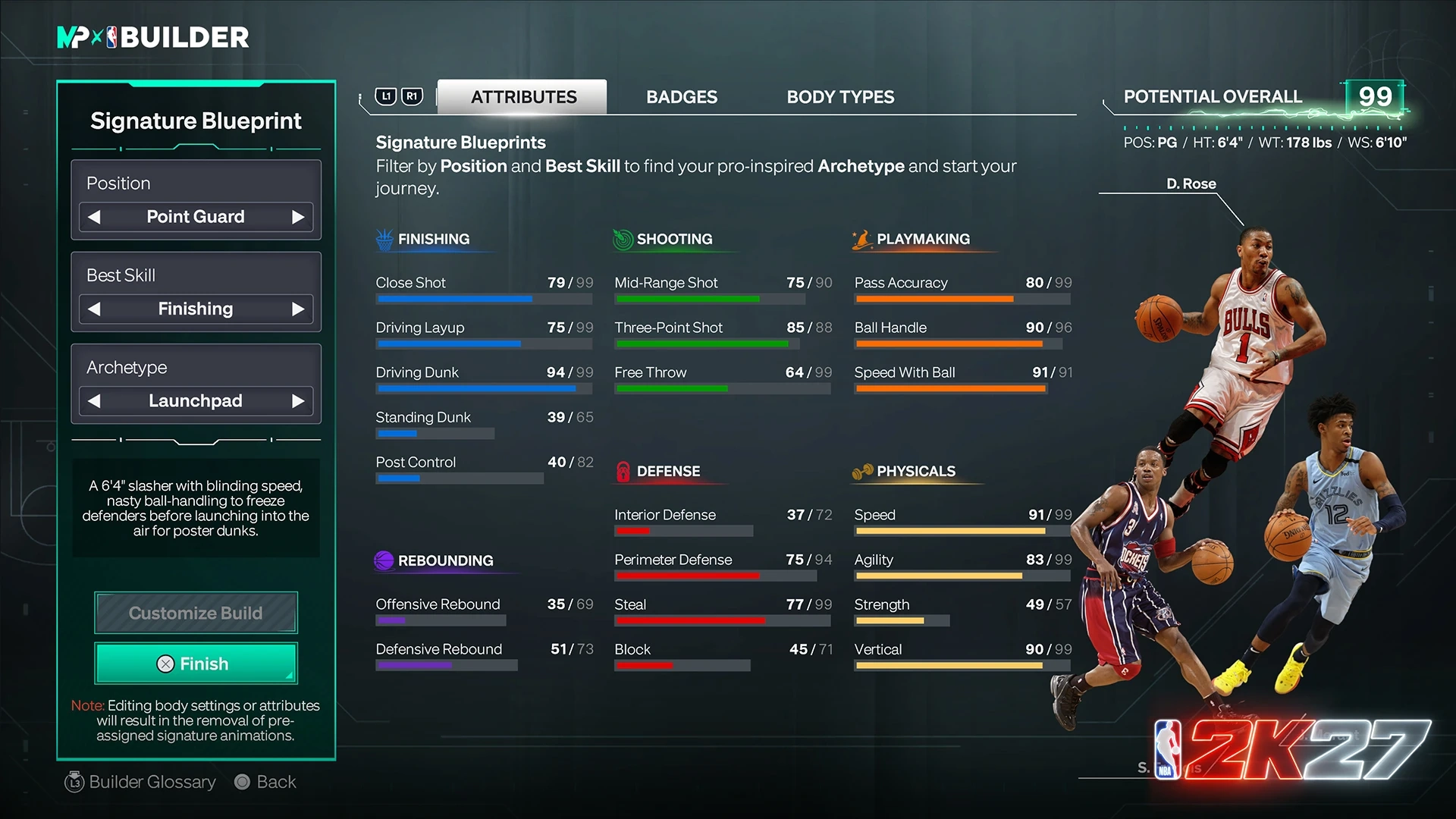
2K describes male and female MyPLAYERs using the same performance framework. Height, weight, wingspan and ratings follow the build, with gameplay parity as the stated approach. Choosing a male or female build is locked for that save. Do not treat appearance as a shortcut to a different attribute economy; inspect the actual limits shown by the Builder.
Change one physical measurement and watch the effects before moving on. An attractive gain may come with a limitation elsewhere, and the combination needs to support the role you chose. The relevant result is the whole player: attributes, available Badges and animation access. A screenshot of one high rating says little about the compromises that made it possible.
Badge Tokens make equipping a separate decision
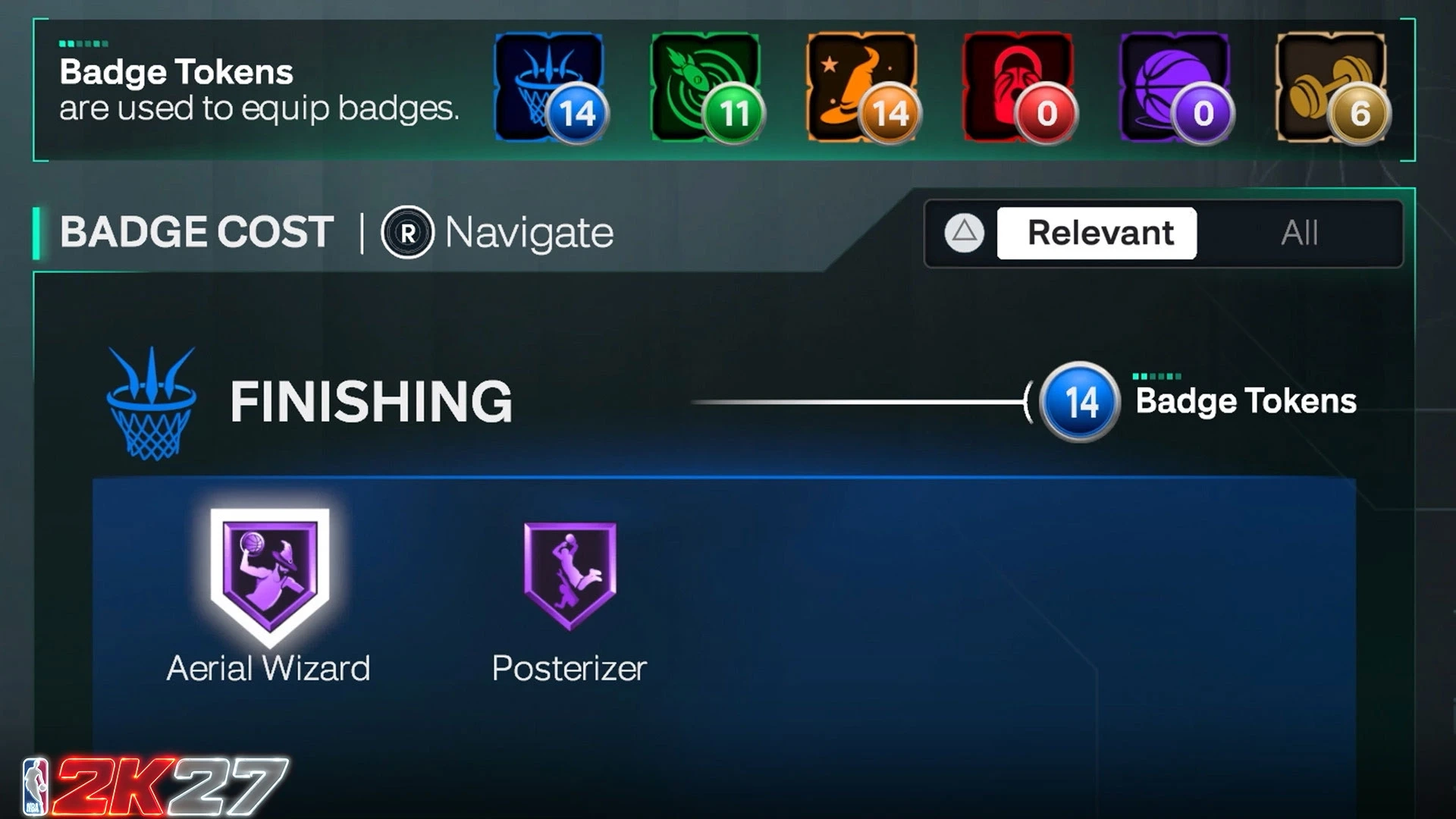
The new Badge Token system is used to equip Badges. The Builder shows how size and position affect available options, making the badge plan something to inspect during creation. An attribute that opens an option is only part of the story; the tokens and loadout determine what the player actually carries into the intended role.
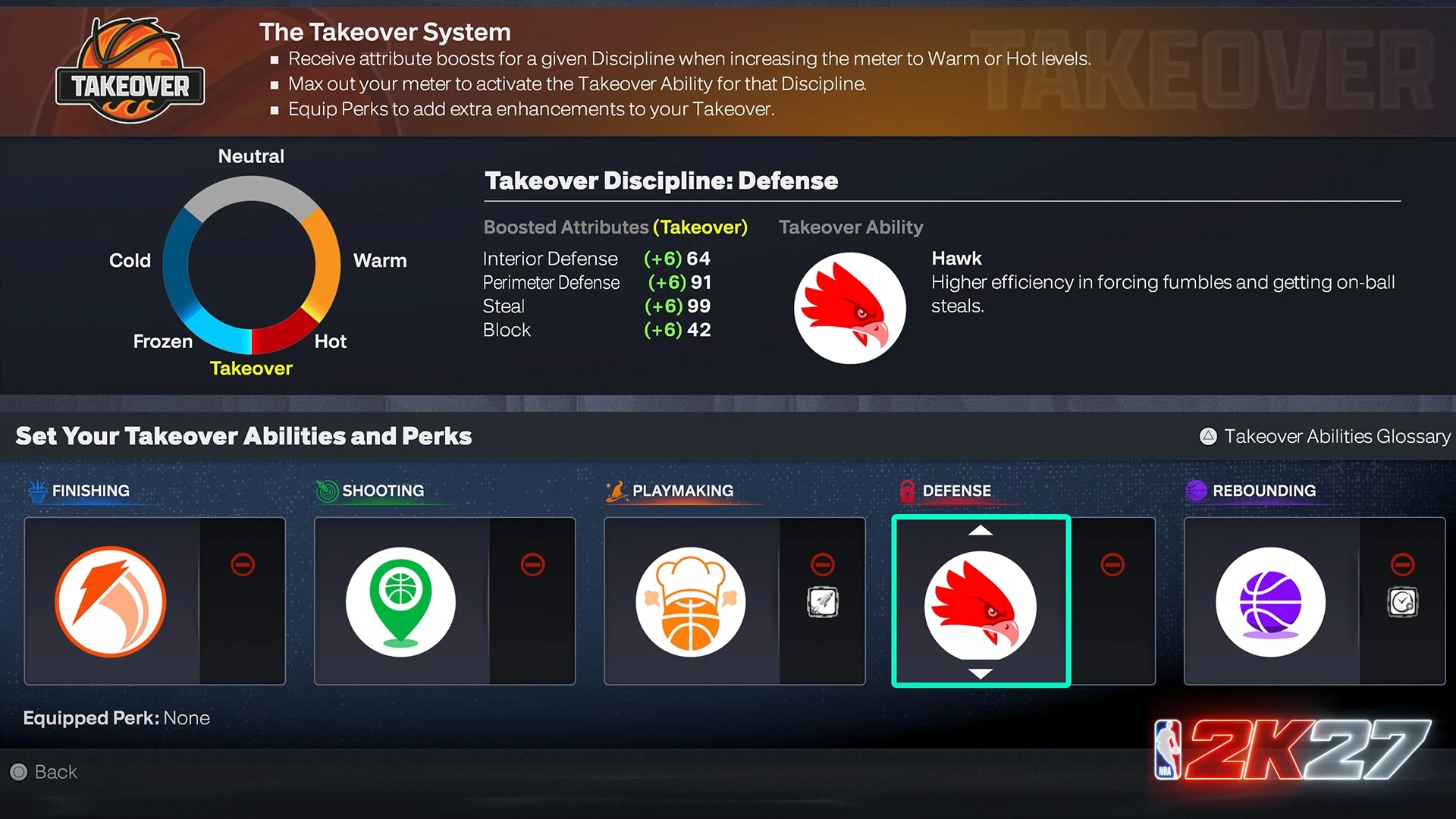
Use the official descriptions to connect a Badge to a repeated action. Set and Fire concerns set-foot three-point attempts; Arc Cadence concerns moving threes. Those are different shots, so a player who mainly receives stationary kick-outs should not automatically copy a loadout made for off-dribble shooting. On defense and rebounding, the same principle applies: choose effects attached to situations your role regularly encounters.
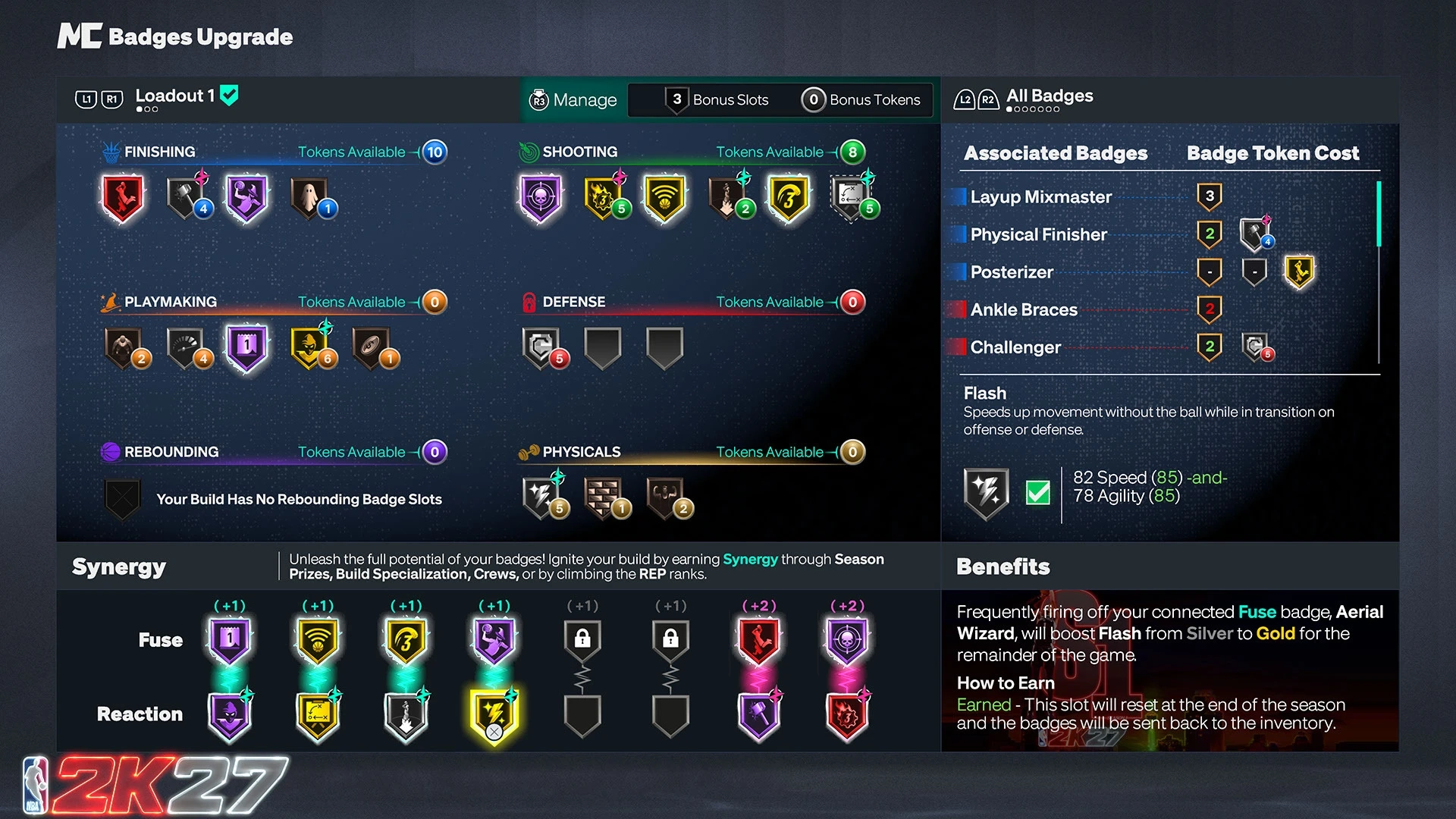
Synergy and loadouts need a complete look
The Builder report gives Synergy its own section and shows how badge choices interact within a build. Inspect the in-game combination and its requirements as a whole, rather than choosing each Badge from an isolated ranking. A combination that supports one recurring sequence is easier to evaluate than a collection of individually attractive effects that never apply during the same possession.
Loadouts let you think about context without pretending that one configuration serves every queue. A group that needs you to space the floor asks different things from a session where you are the main creator. Keep the role attached to the loadout name in your own notes. That makes a later adjustment understandable: you are changing the job the player performs, not simply chasing whatever Badge was discussed most recently.
Swipe to read the full table →
| Planning question | Inspect before saving | Why it belongs in creation |
|---|---|---|
| What does the squad need? | Primary on-court responsibility | Prevents conflicting roles |
| What does size change? | Attribute and Badge availability | Reveals tradeoffs early |
| What will be equipped? | Token cost and complete loadout | Eligibility alone is not the final setup |
| What can future progression change? | Cap Breaker preview | Separates the opening player from the plan |
Preview progression without spending it twice
The report includes a Cap Breaker preview and an alternative Builder path, giving players ways to examine future development before locking in the build. Use those screens to distinguish the player you start with from the player you hope to reach. A plan that only works after later progression can feel incomplete during the opening sessions.
Write down the immediate job and the future improvement separately. If the first version can already provide useful defense, passing or spacing, the squad has something to work with while you develop it. If the opening version cannot perform its assigned task, reconsider the distribution before committing. Future potential is helpful information; it does not make the early player’s limitations disappear.
Take the plan to a court
NBA 2K HQ gives access to the Builder on a device, with upload to the home setup and QR sharing. Sharing is useful when the recipient understands the intended role and platform context. A QR code carries a design, not the reasoning that made it fit one group. Keep a short explanation beside it so the next player knows what they are agreeing to play.
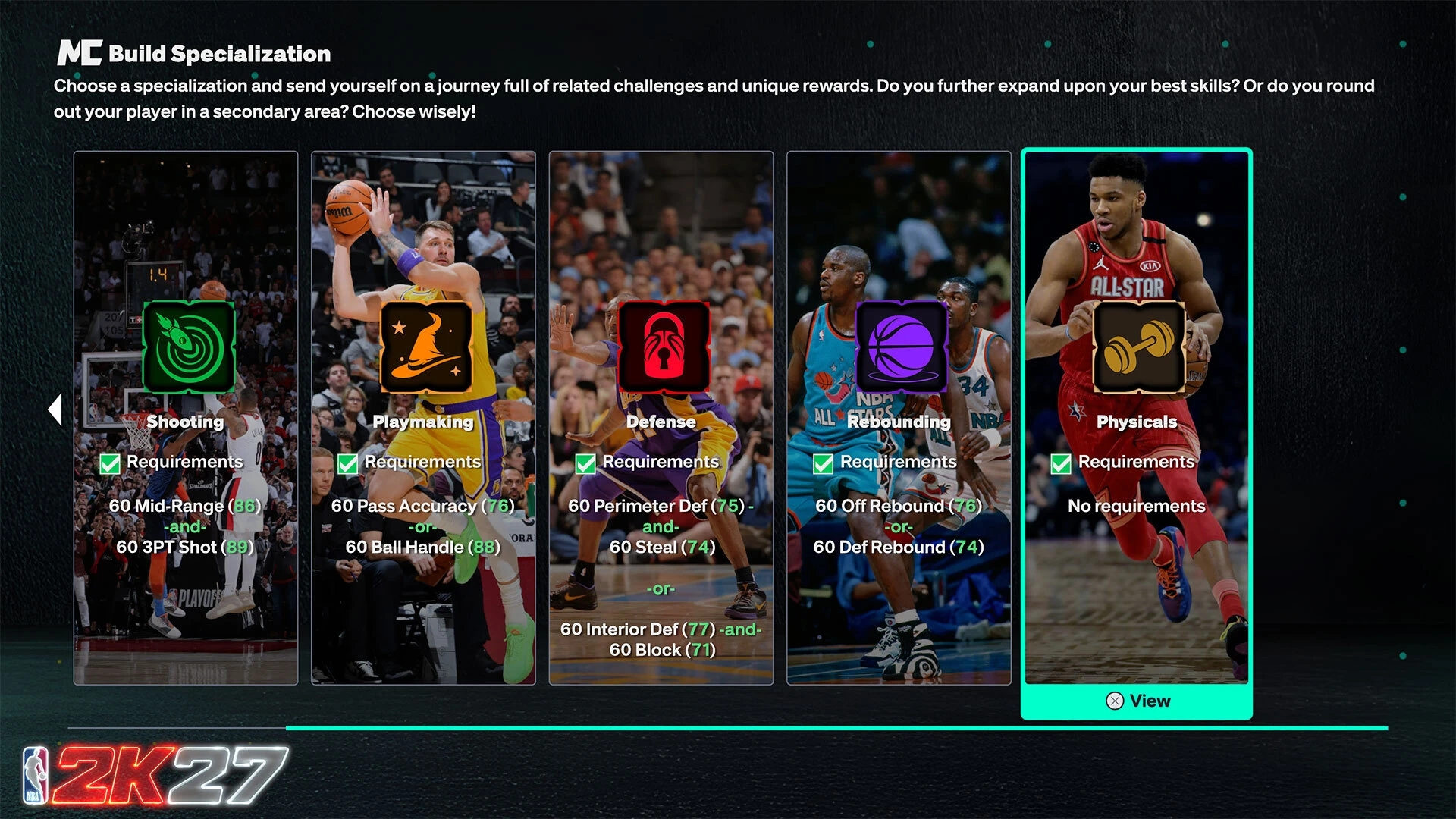
Finally, test the motions the role depends on wherever the game offers an appropriate preview or practice setting. Check a catch-and-shoot release, a pass under pressure or a rebound sequence rather than judging only by the summary label. The October patch also adjusts some Build Specialization requirements and makes progression menus clearer, so current screens take precedence over old captures. Save the build when its ordinary possessions make sense, not only its most impressive attribute line.